Serial Studio Isn't Just for Serial Ports
The name is misleading. Serial Studio reads TCP/UDP, Bluetooth LE, MQTT, Modbus, CAN, OPC UA, PLC protocols, audio, USB, HID and even a program's output.

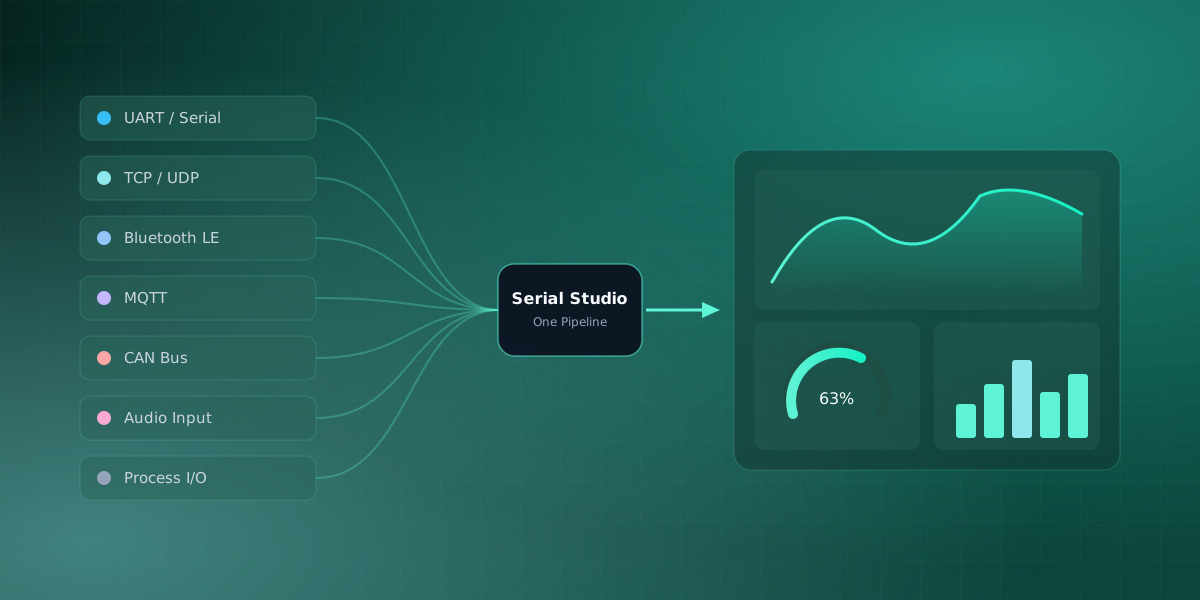
The name sets an expectation that the app comfortably exceeds. Serial Studio did begin as a tool for serial ports, and that is still the most common way people use it. But under the hood it is a general real-time data dashboard, and the serial port is only one of fourteen ways to feed it. If you have been reaching for a different tool the moment your data left the USB cable, this is worth two minutes.
One pipeline, many front doors
Here is the architectural detail that makes the rest of this possible. Every driver, no matter what it talks to, hands raw bytes to the same frame-reading pipeline, which feeds the same dashboard. The parser, the widgets, the transforms, and the recording all sit downstream of the driver and do not know or care where the bytes came from. Swapping a serial port for a network socket or an MQTT broker changes one setting, not your dashboard.
That is why the following list is possible at all.
The free three
The GPLv3 edition ships with the three transports most projects need:
- Serial / UART. Physical and virtual serial ports: Arduino, ESP32, STM32, USB-to-serial adapters, RS-232, and RS-485.
- TCP / UDP. Network sockets, for a device or a program that streams over Ethernet or Wi-Fi instead of a cable. It is how an ESP32 sends sensor data over Wi-Fi straight to the dashboard.
- Bluetooth Low Energy. Read a BLE peripheral's characteristics directly, which is how you get telemetry off a small battery-powered board with no wire at all.
The Pro eleven
The Pro edition adds eleven more, and some of them stretch the definition of "data source" in useful ways:
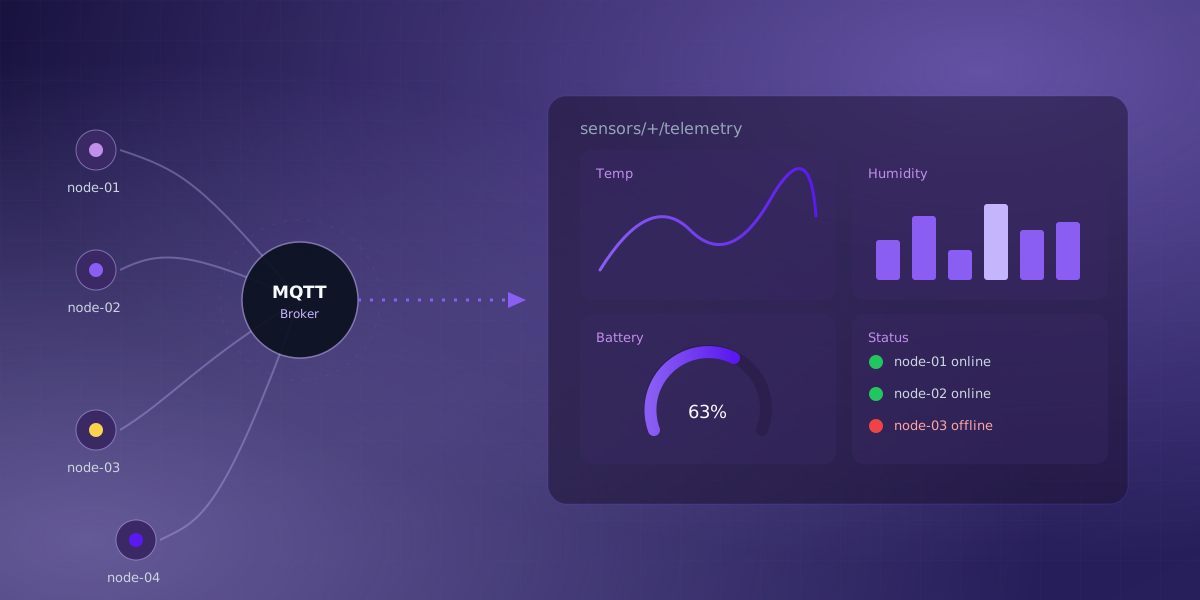
- MQTT. Subscribe to a broker and plot whatever is published to a topic, including public cloud feeds. You can watch a real one with no hardware in What Is MQTT?.
- Modbus (RTU and TCP). Poll registers on industrial equipment. See What Is Modbus?.
- CAN Bus. Capture frames from a vehicle or machine bus and decode them with a DBC file. See What Is the CAN Bus?.
- OPC UA. Browse a server's address space, pick tags, and subscribe to live values from modern PLCs and SCADA gateways, with signed and encrypted sessions when the server requires them.
- Siemens S7. Poll data blocks, inputs, outputs, and flags on S7-300/400/1200/1500 controllers by absolute address, no OPC server in between.
- EtherNet/IP. Read Allen-Bradley Logix tags by the same symbolic names the ladder logic uses.
- IEC 60870-5-104. Watch substations and RTUs: the driver interrogates the station's database on connect, then streams the spontaneous reports that follow.
- Audio input. Treat a microphone or line-in as a signal source and run an FFT on it, which is enough for vibration analysis with nothing but a sound card.
- Raw USB. Talk to bulk USB endpoints directly.
- HID. Read gamepads and other human-interface devices.
- Process I/O. This is the one that surprises people. Serial Studio can launch a program and read its standard output as the data stream. No hardware is involved at all. A short Python script that prints CPU and memory usage becomes a live system-monitor dashboard, which is exactly what the System Monitor example does.
So what is it, really
Once you see that Process I/O turns any script into a source and MQTT turns any broker into a source, the picture changes. Serial Studio is not a serial terminal that grew a few extra features. It is a real-time dashboard with a serial port as its best-known input. If your data arrives as numbers, from almost anywhere, there is probably a driver for it, and several sources can feed one dashboard at the same time.
The Data Sources reference lists every driver and its settings, and each one has its own page under the Drivers section if you want the protocol details. If you are new to the whole thing, What Is Serial Studio? is the wider overview. And if you haven't opened Serial Studio yet, start with your first project before exploring every source it can read.
Frequently asked questions
Is Serial Studio only for people using a physical serial port?
No. The serial port is the most common entry point, but it's one of fourteen data sources the app supports, alongside TCP/UDP, Bluetooth LE, MQTT, Modbus, CAN Bus, OPC UA, Siemens S7, EtherNet/IP, IEC 60870-5-104, audio input, raw USB, HID, and a program's own output. The name reflects where the project started, not what it's limited to today.
Which of the fourteen data sources are free vs Pro?
The GPLv3 edition includes three: Serial/UART, TCP/UDP, and Bluetooth Low Energy, enough for most hobbyist and single-device projects. The Pro edition adds MQTT, Modbus, CAN Bus, OPC UA, Siemens S7, EtherNet/IP, IEC 60870-5-104, audio input, raw USB, HID, and Process I/O, eleven sources aimed at industrial, automotive, and other specialized telemetry work.
What is Process I/O, and why does it count as a data source?
Process I/O lets Serial Studio launch a program and read its standard output as the data stream, with no hardware involved at all. A script that prints CPU and memory usage becomes a live dashboard, which is why the app is better described as a real-time data tool than a serial-only terminal.
Comments