Send SCPI and G-code From Your Dashboard
How SCPI and G-code work on the wire, why sending commands is harder than reading data, and how dashboard controls format outbound messages safely.

Reading data from a device is passive. Whatever arrives, you parse it, plot it, and nothing bad happens if you get it slightly wrong. Sending a command is a transaction: it has to be formatted exactly the way the device expects, terminated correctly, and acknowledged. That asymmetry is why so many home-grown dashboards are read-only. This post looks at the two command languages you are most likely to meet, SCPI on the bench and G-code on a machine, and at what it takes to wire a slider or a switch to them.
Key takeaways
- SCPI and Grbl G-code are both line-based ASCII protocols, but each expects exact formatting and a specific reply before the next line goes out.
- Control is harder than monitoring because commands must be formatted, sequenced against device timing, and acknowledged, not just parsed.
- A
transmit(value)template turns one widget (slider, toggle, button) into the exact bytes a device expects, so adapting to a new instrument means editing one script.- No dashboard button is a safety device: real protection has to live in hardware, controller soft limits, and instrument-side protection circuits.
SCPI, the language of bench instruments
SCPI (Standard Commands for Programmable Instruments) is an ASCII command language layered on IEEE 488.2, and nearly every modern bench instrument speaks it: Keysight, Rigol, Siglent, Rohde & Schwarz, Tektronix. Commands form a tree with colon-separated keywords, and each keyword has a long and a short form, so these two lines are the same command:
MEASURE:VOLTAGE:DC?
MEAS:VOLT:DC?
A trailing ? makes a command a query that returns data. Commands starting with * are IEEE 488.2 common commands every compliant instrument must implement: *IDN? returns the identification string, *RST resets, *OPC? blocks until pending operations finish. A real session with a Rigol DP832 power supply looks like this:
*IDN?           → RIGOL TECHNOLOGIES,DP832,...
:INST CH1         select channel 1
:VOLT 3.3         set 3.3 V
:CURR 1           set the current limit
:OUTP CH1,ON      enable the output
:MEAS:VOLT? CH1   read back what actually happened
The transport varies (USB-TMC, a raw TCP socket on port 5025 for LAN instruments, plain serial on older gear) but the framing convention is stable: one command per line, terminated with \n. Two habits keep sessions healthy. Set limits before you enable an output, and read values back instead of trusting the setpoint you sent.
G-code, the language of motion
CNC controllers and 3D printers speak G-code, and the most common open firmware dialect is Grbl (and its actively developed successor, grblHAL). The protocol is strict and simple: you send one ASCII line, the controller answers every line with exactly ok or error:N, and you do not send the next line until you hear back. A handful of single-character realtime commands bypass the line buffer entirely and get no reply: ? requests a status report, ! is feed hold, ~ resumes, and Ctrl-X soft-resets.
For a dashboard, the most useful part of Grbl 1.1 is the jogging interface:
$J=G91 X10.00 F500
That jogs the X axis 10 mm at 500 mm/min. Jog commands are checked against soft limits before they execute, they do not disturb the G-code parser's modal state, and an in-flight jog can be cancelled instantly. Those properties exist precisely so that a hold-a-button UI can be safe.
SCPI and G-code both send control as ASCII lines, but that is not the only shape control takes. Modbus does the same job by writing to a holding register with function code 06 or 16 instead of sending a line of text, see Writing to a device for that path.
Why the write path is harder than the read path
Three things make control messier than monitoring.
- Formatting.
VOLT 3.3and$J=G91 X3.30 F500encode the same user intent for different devices, and the device rejects anything else. - Interleaving. Command replies arrive on the same line as streaming telemetry, so the reader has to tell
okapart from data. Grbl helps by making status reports syntactically distinct (<Idle|MPos:...>); SCPI does not, which is why an unread query reply desynchronizes every read that follows. - State. The UI's belief and the device's truth drift apart, so a good dashboard displays what the device reports, not what the user last asked for.
The device is a state machine, and it does not wait for you
The deepest trap in the write path is timing, and it is invisible in a terminal because a human typing is slow enough to never trigger it. Automate the same sequence and the race appears: commands return immediately, but the physics they command does not. Send :VOLT 3.3 and query :MEAS:VOLT? in the next breath and you measure the output mid-slew, a number that is neither the old setpoint nor the new one. The instrument did nothing wrong; you asked a question before the answer existed.
IEEE 488.2 solved this in 1987 and every SCPI instrument still carries the solution. *OPC? is a query that answers 1 only after all pending operations complete, so placing it between "change something" and "measure something" turns an asynchronous race into a sequence. *WAI does the same ordering without a reply. The pattern for any settled measurement is three lines, not one: command, *OPC?, then the query, and the read-back now measures reality instead of intention.
Errors have their own trap, because SCPI errors do not interrupt anything. A rejected command, a value out of range, a query sent at the wrong time: each one just pushes an entry onto the instrument's internal error queue and the session carries on, silently running against a state you no longer know. The queue is drained one entry per SYST:ERR? query until it answers 0,"No error", and disciplined automation drains it at every checkpoint. An error queue nobody reads means the failure you eventually notice happened many commands before the symptom. The queue even records the desynchronization mistake itself: send a new command before reading a previous query's reply and the instrument logs error -410, "Query INTERRUPTED", which is the protocol formally telling you the read path and write path collided.
Grbl's version of the same discipline is flow control. The controller has a small receive buffer (128 characters in stock Grbl) feeding a motion planner, and there are two legitimate ways to keep it fed. Send-response, where you wait for each line's ok before sending the next, is simple and exactly right for a dashboard. Character-counting, where the sender tracks how many un-acknowledged characters are in flight to keep the planner from starving between moves, is what dedicated G-code senders do for streaming toolpaths, and it is more than a control panel needs. What a control panel does need is the state machine: the ? status report says whether the controller is Idle, Run, Hold, or Alarm, and Alarm is not a mood, it is a lockout in which motion commands are refused until the machine is homed or explicitly unlocked with $X. A jog button that ignores state is a button that sometimes silently does nothing, which in machine control is its own kind of dangerous.
The read path is how the dashboard keeps up honestly. Grbl's angle-bracket reports are regular enough for a frame parser to split into datasets, so machine state and position become channels like any sensor reading, shown on an LED panel or a status widget next to the controls that command them. The loop closes the way the third bullet above demands: the widget asks, the device reports, and the dashboard displays what the device said, never what the slider hoped.
Wiring a slider to the wire
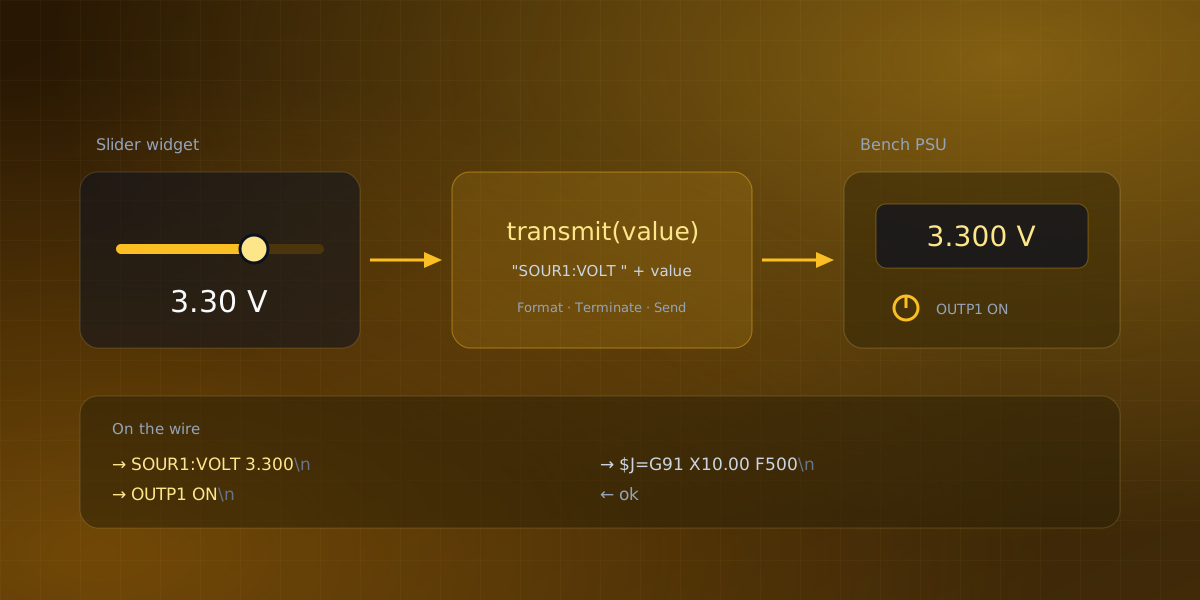
Serial Studio's approach is to keep the widget generic and put the device-specific part in a small script. The output widgets (buttons, toggles, sliders, knobs, text fields) each carry a transmit(value) function that turns the widget's value into the exact bytes to send. The bundled SCPI template is short enough to read in full:
var CHANNEL = 1;

function transmit(value) {
  if (typeof value === "string")
    return value + "\n";
  if (value === 0 || value === 1)
    return "OUTP" + CHANNEL + " " + (value ? "ON" : "OFF") + "\n";
  return "SOUR" + CHANNEL + ":VOLT " + Number(value).toFixed(3) + "\n";
}
A toggle sends OUTP1 ON, a slider sends SOUR1:VOLT 3.300, and a text field passes raw SCPI through. The G-code and Grbl templates follow the same pattern with their own vocabularies: the G-code one maps the toggle to M3/M5 for the spindle and the slider to a relative G1 move, while the Grbl one maps the toggle to feed hold and resume (! and ~), the slider to a $J= jog, and the text field to raw $ commands like $H or $$.
Because the formatting lives in an editable script rather than in application code, adapting it to your instrument means changing one line, and a transmit test dialog shows the exact bytes a value will produce before anything reaches the port. In a multi-device project, each output widget targets a specific device, so a command reaches one board without the others ever seeing it. Output widgets are part of Serial Studio Pro.
Keep the safety rails physical
One convention matters more than all the others: an emergency stop must not depend on software. A dashboard button is a convenience, not a safety device, because it sits behind an operating system, a serial driver, and a cable. Real machine safety lives in hardware power cutoff, in controller-side soft limits, and in instrument-side protection like over-voltage and over-current clamps that fire no matter what the host sends. Configure those first, then enjoy the slider.
Frequently asked questions
Is sending commands to a device more dangerous than just reading it?
Yes, in a way reading never is. A read that arrives malformed just fails to parse, but a malformed write can set a voltage, start a spindle, or move an axis the moment the device accepts it. That's why the write path needs formatting, sequencing, and acknowledgment that a read path can skip entirely.
Can I use output widgets for protocols other than SCPI and G-code?
Yes. The transmit(value) function is plain JavaScript, so it can format bytes for any line-based or binary protocol, not just the two bundled templates. If a device expects raw binary instead of ASCII lines, the same function still applies, it just builds a byte array instead of a string.
Why do I need *OPC? if the instrument already accepted my command?
Because accepting a command and finishing the action it describes are two different moments. *OPC? blocks until every pending operation completes, so a query placed after it measures the settled result instead of catching the instrument mid-slew.
What happens if Grbl is in an Alarm state and I send a jog command?
Grbl refuses it. Alarm is a lockout, not a warning, and it stays in force until the machine is homed or unlocked with $X. A dashboard that ignores this just sends a jog command that silently does nothing, which is safer than the alternative but still worth surfacing to the operator.
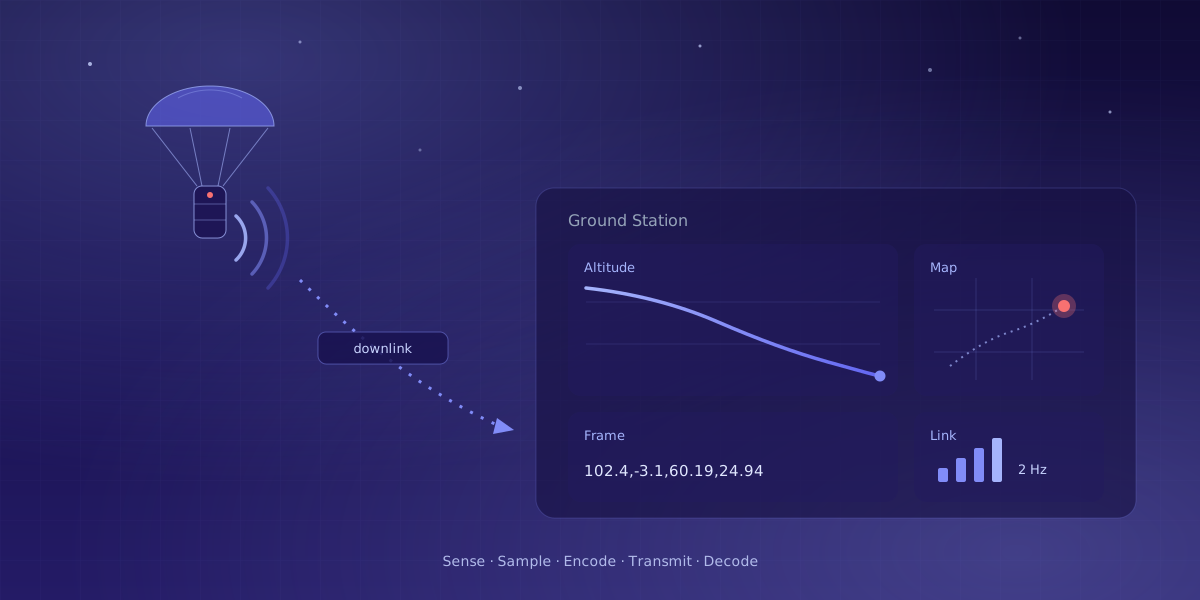
If the vocabulary of downlink and telecommand is new, What Is Telemetry? covers the read path this post writes back against, and Serial Studio Isn't Just for Serial Ports tours the transports these commands travel over.
Comments