Frame Parsers: How Bytes Become Datasets
How Serial Studio turns raw bytes into datasets: Quick Plot, built-in templates, custom parsers, and why the frame parser is sometimes deliberately empty.

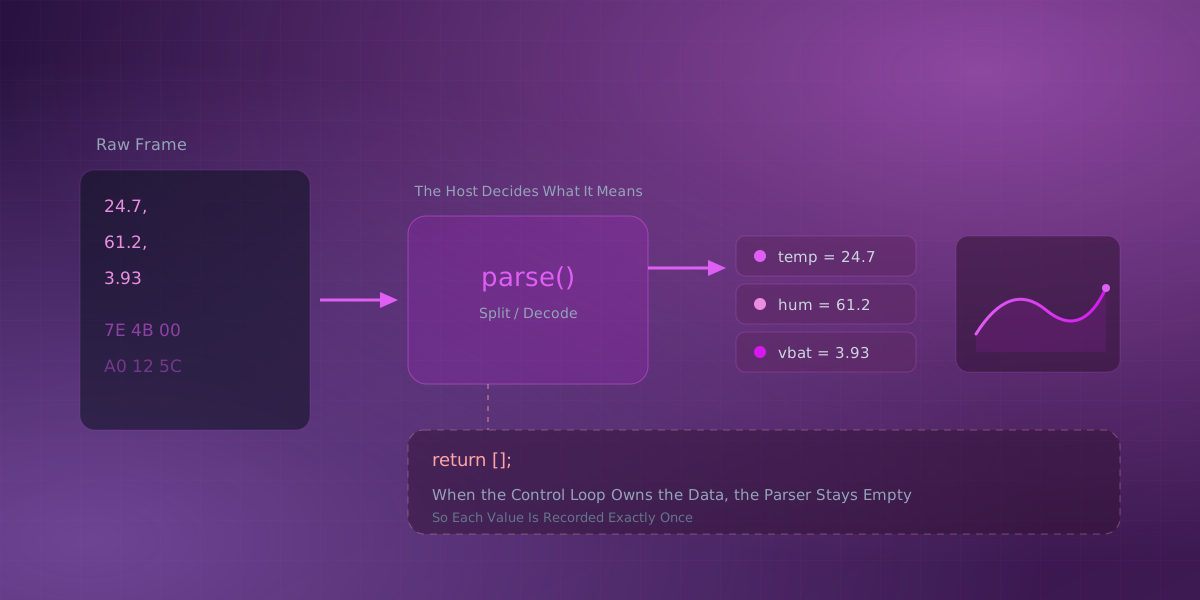
Serial Studio is built on one idea: the device sends data, and the host decides what that data means. A frame parser is the small script, or built-in template, that does that deciding: it turns one incoming frame of raw device data into the named values Serial Studio plots. "Deciding what it means" can happen in a few different places, and knowing which one to use is the difference between a dashboard that behaves and one that mysteriously records every value twice. This post walks through the options from simplest to most involved, and explains a case that surprises people: when the frame parser is supposed to be empty on purpose.
The simplest path: Quick Plot
If your device prints comma-separated numbers, one line per sample, you do not need a parser at all. Quick Plot reads each line, splits it on commas, and draws every value as its own trace. There is no code and no configuration. You pick the port, match the baud rate, and select Quick Plot (Comma Separated Values).
This is the right tool for a quick look at an Arduino sketch or any device with a plain CSV output. It is deliberately dumb, which is exactly why it is fast.
Built-in templates: still no code
When you outgrow Quick Plot and build a project with a real dashboard, you still often do not need to write anything. Serial Studio ships built-in parser templates. The Delimited text template exposes a separator, an optional quote character, and a couple of toggles. The Modbus frames template exposes a channel count and register offset. You fill in a small form, and the template does the parsing.
Reach for a template first. A surprising number of projects never need custom code.
Custom frame parsers: when the format is richer
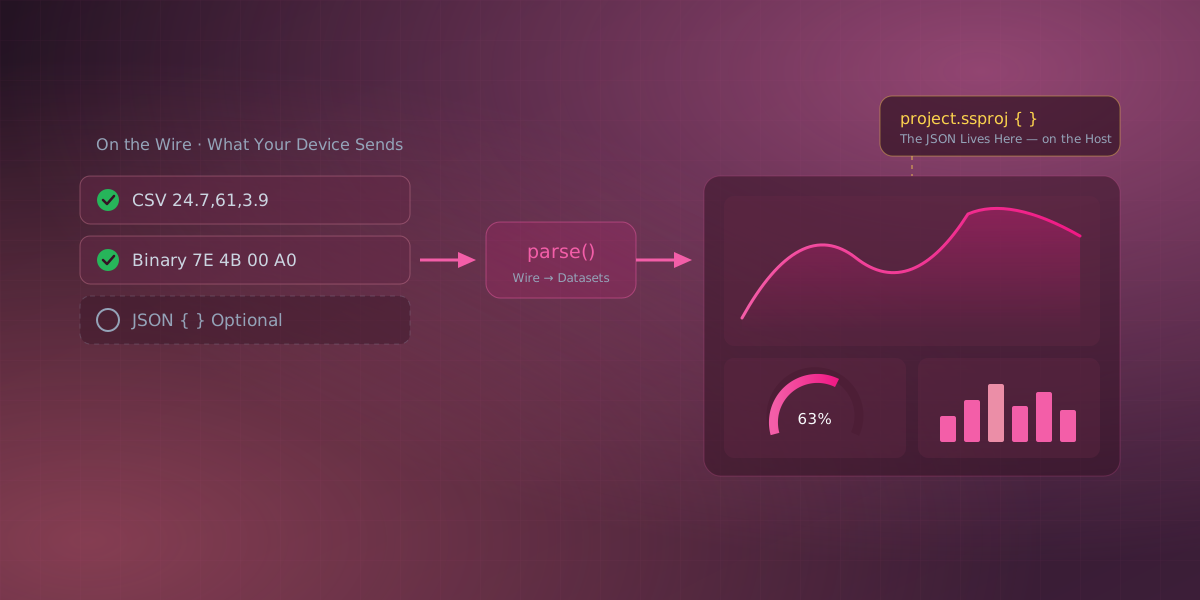
You write a parse() function (in JavaScript or Lua) when the data is more than delimited text: a binary packet, a JSON payload, a frame with a checksum. The contract is simple. Serial Studio hands you one frame, and you return an array of values.
For comma-separated text the whole function is one line:
function parse(frame) {
  return frame.split(",");
}
For a JSON message you pull out the fields you want in a fixed order (JSON is one option here, not a requirement):
function parse(frame) {
  const msg = JSON.parse(frame);
  return [msg.temp, msg.hum, msg.vbat];
}
Whatever you return becomes the row of values that feeds your widgets. Return an empty array and nothing renders for that frame.
The case that surprises people: the empty parser
Serial Studio has a Control Loop: a host-side script with setup() and loop() functions that behaves like an Arduino sketch, but runs on your computer instead of the device. Its normal job is to drive a connection you have already opened, sending handshakes or polling a device on a timer.
It can also do something less obvious. The Control Loop can write the dashboard's data tables itself and call dashboardTick() to render and record a frame. When the script generates the data this way, the device might be silent or just a dummy source. In that situation the frame parser must return empty:
function parse(frame) {
  return []; // the Control Loop owns the data, so the parser stays quiet
}
Why does my dashboard record every value twice?
Because two export paths are producing the same data: the frame parser returned a non-empty frame and the Control Loop called dashboardTick(), so each value is exported once by the frame the parser produced and once by the frame dashboardTick() synthesized. The two export paths then race in the recorded output. Leaving the parser empty keeps the script as the single owner of the data.
The opposite arrangement is the parser-driven one, and it has a mirror-image rule. When real device frames arrive and parse() writes the tables itself, have it return dummy data so each incoming frame still flows through the export pipeline once, and do not also call dashboardTick(). Either path on its own exports each value exactly once.
The mental model
All of this reduces to a single rule: exactly one thing should own each value. Decide who the owner is, and keep the other side quiet.
- Quick Plot owns the data. You write nothing.
- A template owns the data. You fill in a form.
- Your
parse()owns the data. Return the values. - The Control Loop owns the data. The parser returns empty.
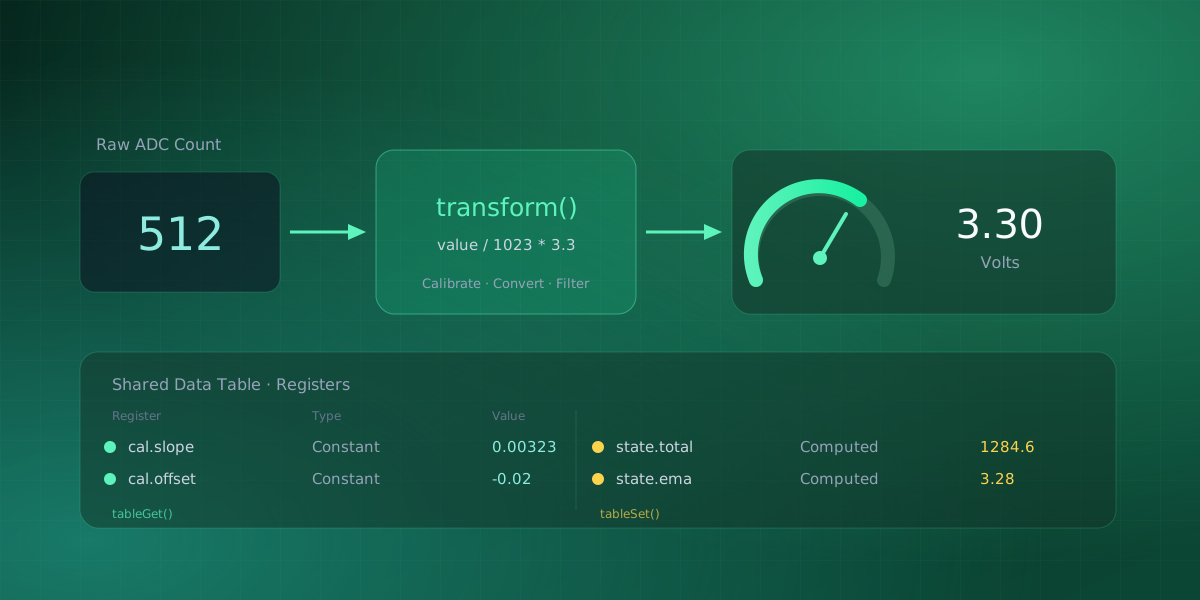
Once you know which owner you have picked, the behavior stops being mysterious, and double-recorded values never happen. Ownership only covers where values come from; downstream of the parser, per-dataset transforms still turn raw counts into real units, and the same discipline is one of the habits production firmware telemetry relies on. The Control Loop reference and the frame parser reference go deeper on each path.
Frequently asked questions
What is a frame parser in Serial Studio?
A frame parser is the step that turns one incoming frame into the array of values Serial Studio maps to your dashboard datasets (Frame Parser Reference). It can be a Built-In template with no code, a scripted parse() function, or skipped entirely with Quick Plot for plain comma-separated output.
Why is my parser empty and does that mean nothing works?
No. An empty return [] is often deliberate: it hands ownership of the data to the Control Loop, which writes the tables itself and calls dashboardTick() to render and export a frame (Control Loop reference). If the parser also returned values, the same data would export twice. Empty here means "quiet, on purpose," not broken.
Can I write a custom parser in a language other than JavaScript?
Yes. Serial Studio's frame parser also supports Lua, and it is the recommended scripting language: it runs faster than JavaScript and holds up better at high data rates, while JavaScript stays fully supported for existing projects (Frame Parser Reference). A Platform dropdown in the parser editor switches between Lua, JavaScript, and Built-In templates at any time.
What happens if my parser throws an error?
It does not stop your data stream. Serial Studio runs the parser under a watchdog and wraps it so a thrown error, an infinite loop, or a non-finite return value all fall back to the safe path, an empty frame in the parser's case, while every other source keeps parsing normally (The Data Hotpath). Check the console log to find and fix the actual bug.
Comments