From a DBC File to a Live CAN Dashboard and MDF4
How DBC signal definitions become a live CAN dashboard, where byte order and multiplexing trip you up, and why MDF4 beats CSV for CANape and INCA workflows.

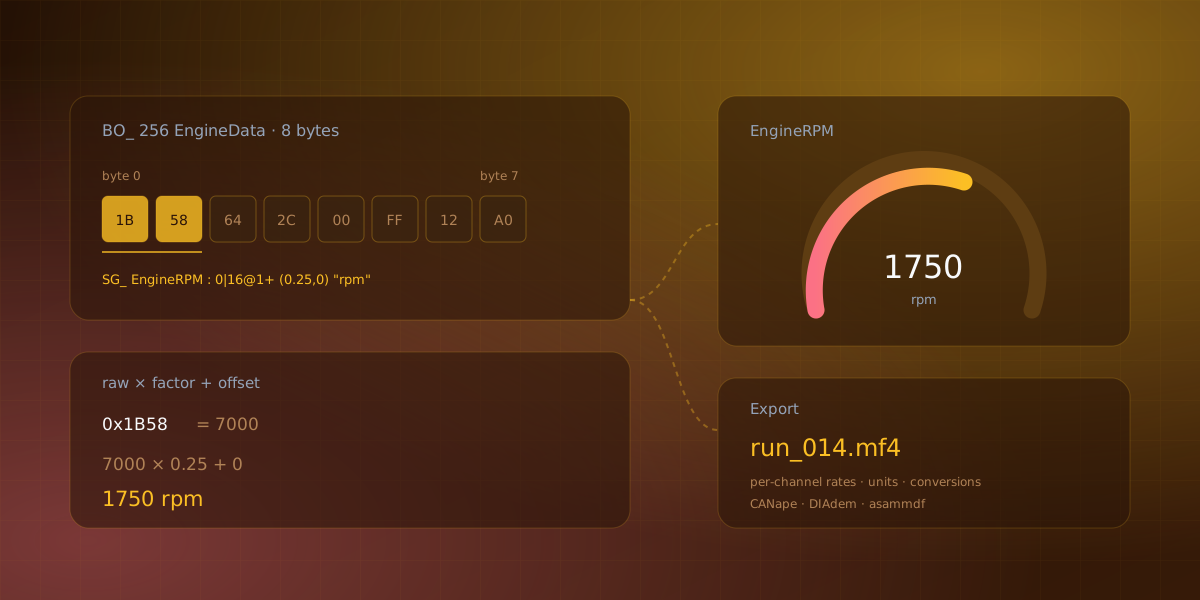
Raw CAN is bytes in a message. 0x100 arrives with eight bytes and the bus does not tell you that bits 0 through 15 are engine RPM scaled by 0.25. That knowledge lives in a DBC file, and if you have one, most of the work of building a dashboard is already done. It just is not obvious that it is done.
This is about closing the loop from a DBC to something you can watch, and then to a file that CANape, INCA or DIAdem will actually open.
What a DBC entry says
A DBC, or CAN database, describes what the bytes mean. A typical entry:
BO_ 256 EngineData: 8 ECU
 SG_ EngineRPM : 0|16@1+ (0.25,0) [0|16383] "rpm" Dashboard
 SG_ ThrottlePosition : 16|8@1+ (0.392,0) [0|100] "%" Dashboard
 SG_ EngineTemp : 24|8@1+ (1,-40) [-40|215] "°C" Dashboard
BO_ declares a message: ID 256, eight bytes, sent by a node called ECU. Each SG_ is a signal inside it. Read 0|16@1+ as start bit 0, length 16 bits, little-endian (@1), unsigned (+). Then (0.25,0) is factor and offset, [0|16383] is the valid range, "rpm" is the unit, and Dashboard is the receiving node.
The physical value is raw * factor + offset. EngineTemp has factor 1 and offset -40, which is the classic trick for storing a signed temperature in an unsigned byte.
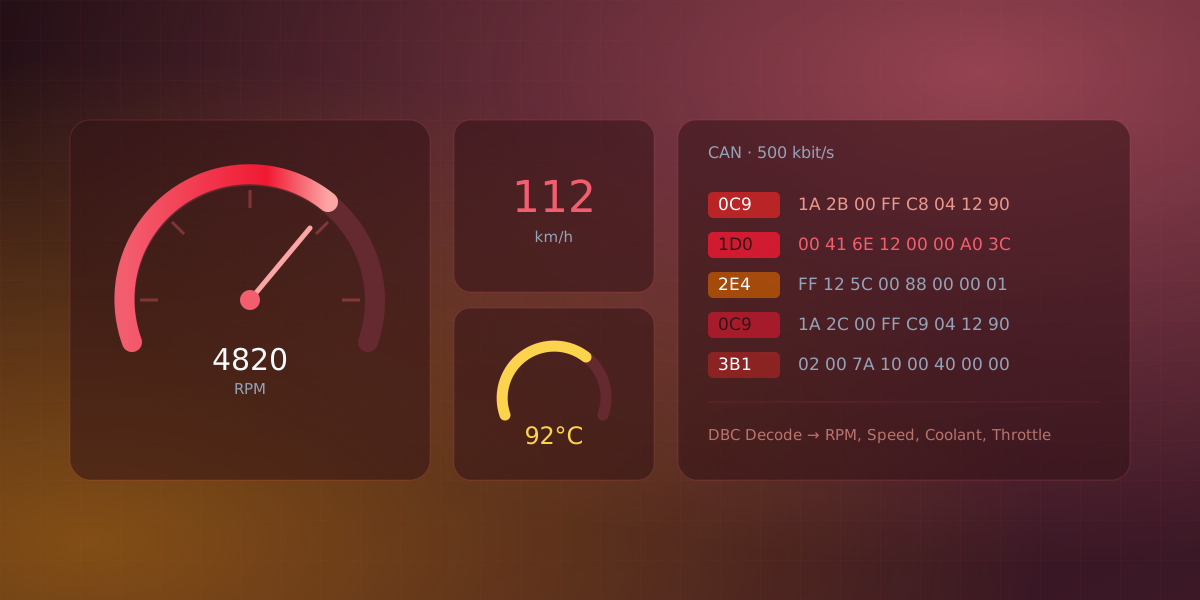
Everything a dashboard needs is in there: the name, where to find the bits, how to scale them, what unit to label them with, and what range the widget should span. A tool that imports a DBC and still makes you configure widgets by hand is not using what it was given.
Import, and what gets generated
In Serial Studio, Import DBC File generates a project from the database. Each message becomes a group, each signal becomes a dataset with its unit and range, and the parser is built for you.
That parser is worth understanding because it explains the failure modes. It is a Lua frame parser: a declarative per-message spec plus a generic decoder that dispatches by CAN ID, extracts each signal at its documented bit offset, applies factor and offset, and publishes the value into the matching dataset. The imported source starts on the Lua platform. If you later need behaviour the DBC cannot express, you edit that parser rather than fighting the importer.
Two things that go wrong
Byte order. DBC supports both little-endian (Intel) and big-endian (Motorola) encoding, and both can appear inside the same message. Auto-generated parsers handle both correctly, so if values come out looking scaled or shifted by a constant, suspect a hand-edited DBC where a signal's byte order is declared wrong. The symptom is distinctive: the value moves when the real signal moves, but lands nowhere near the right magnitude.
Multiplexing. Simple multiplexing works: the importer recognises the message's multiplexor switch and gates each muxed signal on its mux value, titling the imported datasets Foo (mux 3) so you can tell them apart. Extended multiplexing, meaning SG_MUL_VAL_ entries, switch-and-signal intermediates and value ranges, is not supported. Those signals are skipped during import and the post-import dialog tells you how many were dropped, which is the important part. Silently dropping them would leave you wondering why a channel never updates. If you need them, switch the source to a Lua or JavaScript parser and handle them by hand.
There is a third case that is not a bug but looks like one. A classic CAN frame carries at most eight data bytes, sixty-four with CAN FD, so diagnostic responses and J1939 transfers longer than that arrive as separate transport-protocol fragments. Until Multi-Frame Reassembly is enabled, your parser sees the fragments. With it on, the joined message arrives as a single frame carrying a 0xFF DLC marker, and a parser written for raw frames needs to branch on that byte.
Getting on the bus
Serial Studio's CAN support runs through Qt's QtSerialBus, which fronts SocketCAN on Linux, plus PEAK PCAN, Vector, SysTec, Tiny-CAN and a virtual backend for testing. On top of that there are three backends written specifically for consumer USB-CAN adapters: CANable and other gs_usb devices, slcan serial adapters, and the Seeed/Waveshare USB-CAN Analyzer. Those three need no vendor SDK, which matters if you are working on a laptop that does not have Vector's stack installed.
On Linux with SocketCAN, the interface has to be up before you connect:
sudo ip link set can0 type can bitrate 500000
sudo ip link set up can0
On Windows, PEAK, Vector and SysTec each need their vendor driver and runtime installed separately. Qt's CAN plugin is a wrapper; the hardware support comes from the vendor. The CANable, slcan and Seeed/Waveshare paths are the exception, because Serial Studio talks to those adapters directly.
Why MDF4 and not CSV
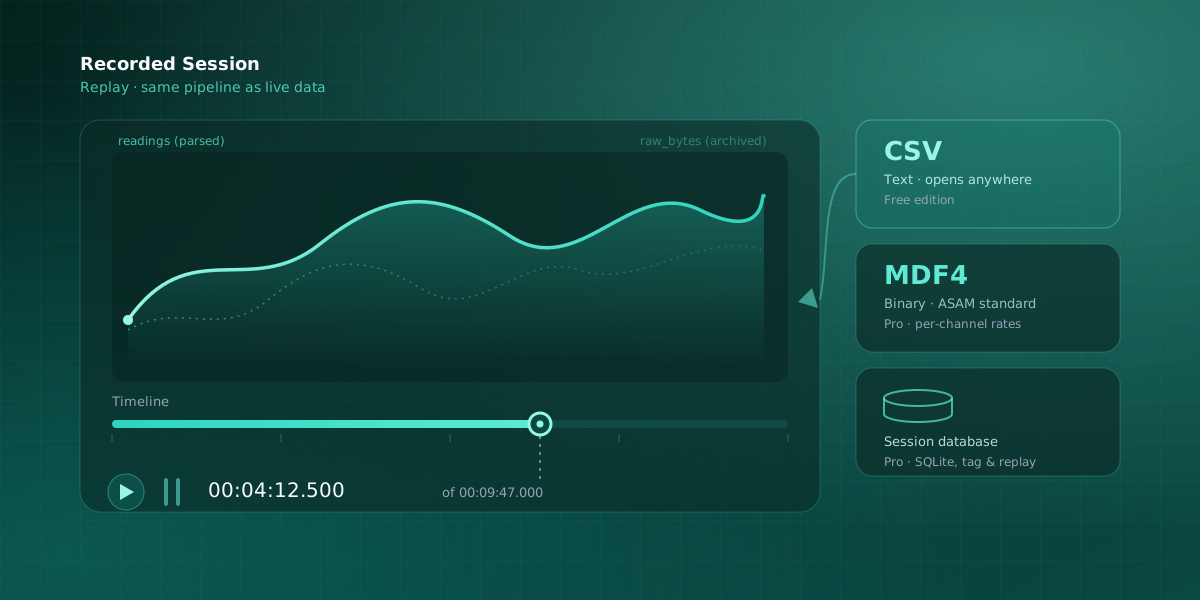
CSV opens in anything, and for a short capture you want to eyeball in a spreadsheet, that is the right answer. MDF4 earns its place on longer, faster, multi-rate recordings, and for three specific reasons.
It is binary. Fixed-width records are typically several times smaller than the equivalent CSV text. On a full bus over a long run that is the difference between a file you can move and one you cannot.
Per-channel sample rates. Each channel group carries its own time base. A 1 Hz GPS channel and a 10 kHz vibration channel coexist in one file without padding, and readers respect each channel's native rate. CSV forces one row per frame across all columns, which means either padding or resampling, and both distort what you recorded.
Metadata travels with the data. Channel name, unit, conversion formula, comments and source information are in the file. A reader knows EngineRPM is in rpm, not just that it is column seven.
The trade is ecosystem. MDF4 needs a tool that speaks it: Vector CANape, NI DIAdem, MATLAB's Vehicle Network Toolbox, or the open-source asammdf Python library. For a one-off handoff, asammdf converts MDF4 to CSV, Parquet, HDF5 or MATLAB .mat, which is a good escape hatch when someone downstream does not have the tooling.
What the export actually writes
Turn on MDF4 Recording under Data Export and every incoming frame is written on a background thread. Files land in your workspace:
Serial Studio/MDF4/<Project Name>/<yyyy-MM-dd_HH-mm-ss>.mf4
Each project group becomes a channel group and each dataset becomes a channel, with the dataset's units field as the physical unit. Two details are worth knowing. Every channel gets a companion <title> (raw) channel carrying the pre-transform value, so a scaling decision made on the host does not destroy the original reading. And each group carries a Time master channel in seconds at nanosecond resolution, derived from each frame's source timestamp rather than from when the frame was drawn.
The file is created on the first frame after export is enabled, not when you flip the toggle, and it auto-closes on disconnect, on pause, or when you turn export off. Reconnecting starts a new file with a new timestamp. So a session that disconnects halfway gives you two files, not one truncated one.
A few pitfalls worth having in mind before a long run:
- Some pre-2015 readers only handle MDF3. Confirm yours takes
.mf4. - Non-ASCII characters in dataset titles can render as
?in third-party tools. Stick to ASCII for portability. - A full CAN bus produces gigabytes per hour. Watch disk space and rotate sessions if you are recording continuously.
Playback, and why it is not just convenience
Recorded MDF4 replays through the same pipeline as a live connection: frame builder, dashboard, widgets, MQTT and API. The dashboard renders exactly as it would with the bus attached, and playback respects the original timing between frames.
File export is suppressed while a player is open, so replaying a file does not re-record it. That is a small guardrail that prevents a genuinely annoying mistake.
For files captured by other tools, the player reads each channel group's data channels in file order and maps them positionally onto the loaded project's datasets, so the project has to define datasets in the same order as the file's channels. Files that Serial Studio wrote replay cleanly because the structure matches the project that produced them.
Try it with no bus and no adapter
The CAN Bus Example ships a physics-based ECU simulator that sends realistic vehicle data, together with a DBC to import, so the whole path from signal definition to dashboard runs on one machine. It needs the widget-extension example installed as well, because its dashboard uses a custom level-bar widget from it.
If you want to go further and record what the simulator produces, the MDF4 reference covers export and playback in detail, and session recording and reports covers turning a run into a document someone can sign.
CAN bus, DBC import and MDF4 are part of the Pro build rather than the GPLv3 one, and the fourteen-day trial unlocks all of them. The simulator page covers the industrial protocols you can evaluate without hardware.
Comments