Build Serial Studio From Source (GPLv3)
How to compile the free, open-source GPLv3 edition of Serial Studio on Windows, macOS and Linux: the Qt and CMake requirements, dependencies, and build steps.

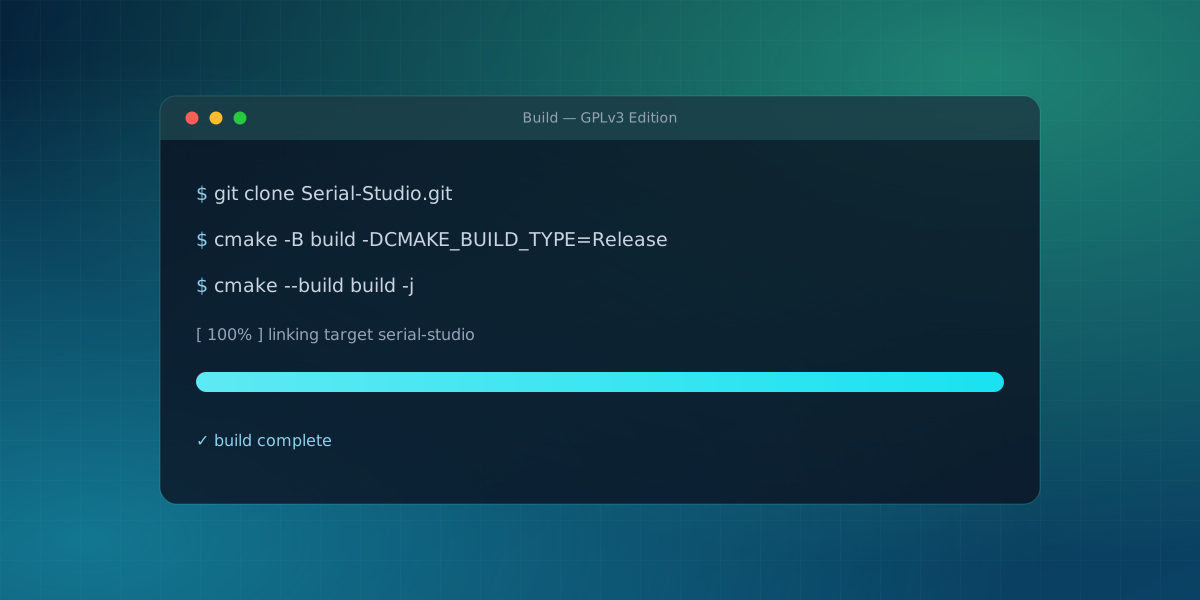
Serial Studio's core is free and open source under the GPLv3, and building it yourself is straightforward. You might do it to run the fully open edition, to audit what the app does, or to contribute a fix. This walks through the requirements and the build on each platform. It follows the instructions in the project's repository, which is the source of truth if anything here drifts.
What the GPL build includes
Compiling from source produces the GPLv3 edition. That is the full core:
- Drivers: Serial/UART, TCP/UDP, and Bluetooth LE.
- Modes: the Project Editor, Quick Plot, and Console.
- Widgets: line plot, gauge, bar, GPS map, FFT, accelerometer, gyroscope, compass, data grid, LED panel, terminal, and multi-plot.
- Data handling: the built-in, JavaScript, and Lua frame parsers, per-dataset transforms, and CSV export.
- Integration: the local TCP and MCP APIs.
The Pro-only modules are not part of this build:
- Drivers: MQTT, Modbus, CAN Bus, audio, USB, HID, and Process I/O.
- Projects and widgets: multi-source projects, the 3D Plot, XY Plot, Waterfall, Image View, and Painter widgets, and the output widgets.
- Data and workflow: MDF4, the session database and reports, file transfer, the importers, and the AI Assistant.
Some of those depend on proprietary Qt modules; others are commercial-licensed code.
Requirements
You need three things regardless of platform:
- Qt 6.9 or later (6.11.1 is recommended).
- A C++20 compiler: GCC 10+ on Linux, Clang 12+ on macOS, or MSVC 2019+ on Windows.
- CMake 3.20 or later.
All the C/C++ dependencies (zlib, expat, OpenSSL, KissFFT, and the rest) are either vendored in the repository or fetched automatically by CMake, so there is no package manager step for them.
Platform setup
Linux (Debian/Ubuntu shown; install Qt 6 from your distribution or the official installer):
sudo apt install libgl1-mesa-dev build-essential
macOS:
xcode-select --install
brew install qt@6
Windows: install Visual Studio 2019 or later with the C++ workload, and Qt 6 from the official Qt installer.
Raspberry Pi and other ARM boards
The CMake build is not x86-specific. The project's official Linux release also ships an ARM64 AppImage for Raspberry Pi, built from the same CMakeLists.txt on an ARM64 runner, no separate build system or patched sources. Building on a Raspberry Pi 4, 5, or another 64-bit ARM board follows the same Linux steps above: install the same packages, then run the same cmake and cmake --build commands. Expect a longer configure and compile time on-device; if that matters, cross-compiling from a faster x86 machine or using Qt's ARM64 cross-compilation kit is the usual workaround, though this post only covers the native path.
Building Serial Studio from source
Clone the repository, then configure and build with CMake:
git clone https://github.com/Serial-Studio/Serial-Studio.git
cd Serial-Studio
cmake -B build -DPRODUCTION_OPTIMIZATION=ON -DCMAKE_BUILD_TYPE=Release
cmake --build build --config Release -j
That is the whole process. If you prefer an IDE, you can open CMakeLists.txt directly in Qt Creator or any CMake-aware editor with no extra setup, and build from there. When it finishes, you have a working GPLv3 build of Serial Studio.
On Windows the --config Release argument matters. The default CMake generator there is Visual Studio, which is a multi-config generator: it ignores -DCMAKE_BUILD_TYPE=Release at configure time and decides the configuration when you build. Without --config Release, that build step defaults to the Debug configuration, which combines MSVC's /RTC1 runtime checks with the production /O2 optimization flags and stops with '/O2' and '/RTC1' command-line options are incompatible. Passing --config Release is harmless on Linux and macOS, so the command above is safe everywhere. If you would rather use a single-config generator that honors CMAKE_BUILD_TYPE, add -G Ninja to the first command instead.
Run it
The executable lands inside build/app (multi-config generators such as Visual Studio add a per-configuration subfolder like Release). It is named Serial-Studio-GPL3 on Windows, serial-studio-gpl3 on Linux, and on macOS the build produces a Serial-Studio-GPL3.app bundle. Launch it directly; no install step is required.
On Linux and macOS this local build runs as-is: it links against the Qt you installed and finds those libraries at launch. The deployment tools on those platforms (macdeployqt, linuxdeploy) only matter when you want to hand the app to a machine that has no Qt installed, which is what packaging a DMG or AppImage is for.
Windows is the exception. The freshly built .exe cannot locate its Qt DLLs on its own, so launching it directly reports missing libraries such as Qt6Widgets.dll or Qt6Svg.dll. Running it from inside Qt Creator works because Qt Creator adds Qt's bin folder to the environment for you. To run it standalone, either add C:\Qt\6.x.x\<compiler>\bin to your PATH, or run windeployqt once to copy the Qt runtime and QML plugins next to the executable:
cd build/app
windeployqt Serial-Studio-GPL3.exe -qmldir=../../app/qml
Multi-config generators place the binary in a per-configuration subfolder like Release, so adjust the relative paths if your .exe sits in build/app/Release. After windeployqt finishes, the app launches by double-click like any installed program.
If CMake cannot find Qt
The most common configure failure is CMake not locating your Qt kit. Point it there explicitly by adding -DCMAKE_PREFIX_PATH=/path/to/Qt/6.x.x/<compiler> to the first cmake command. On macOS with Homebrew, brew --prefix qt@6 prints that path.
Other common build errors
A few other failures show up often enough to call out directly:
- A missing Qt module. The build looks for Qt's WebEngine module by default, since it powers the in-app markdown viewers and PDF reports. If your Qt installation doesn't include it,
find_packagefails to locateQt6WebEngineQuick. Either add WebEngine through the Qt Maintenance Tool, or configure with-DWITH_WEBENGINE=OFF, which falls back to Qt rich text for viewers and HTML-only reports. - A missing system library on Linux. Skipping a package from the
apt installline above usually surfaces as a configure-time "could not find" error or a linker error late in the build. Reinstall the full package list and reconfigure from a cleanbuilddirectory. - A compiler standard mismatch. Serial Studio requires C++20. If your compiler defaults to an older standard, the build does not fail at link time; it fails early, at a template or concept error in the first files that use C++20 syntax. Updating the compiler or pointing CMake at a newer one clears it.
What a source build does and doesn't grant
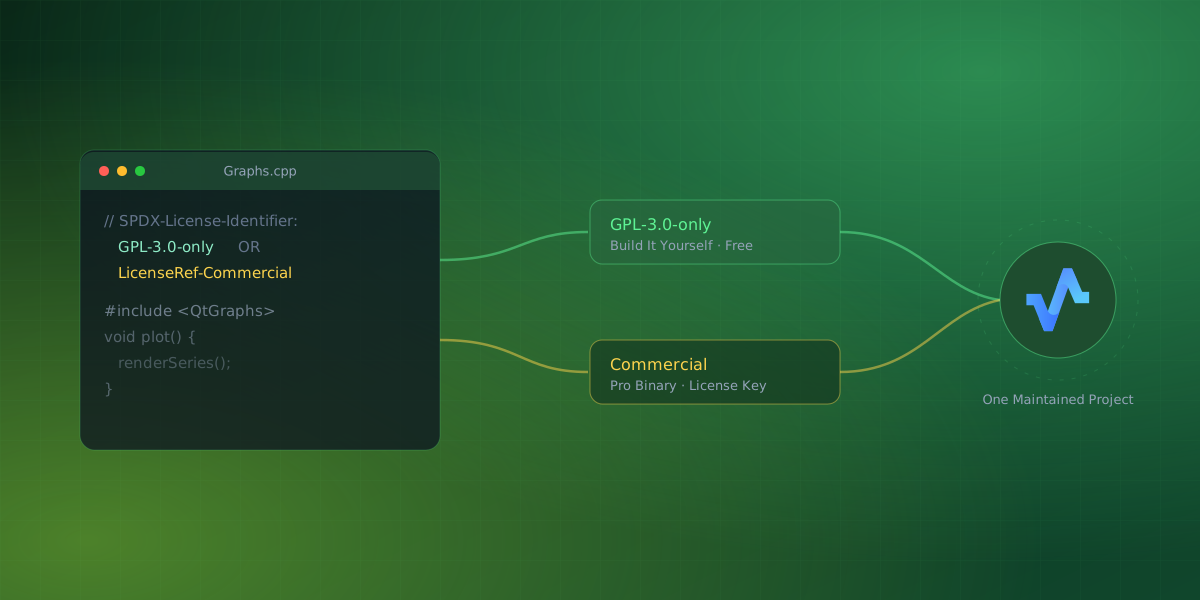
This part matters and is easy to miss. Building from source gives you the GPLv3 edition, and the GPLv3 permits any use, commercial included, under its own terms. What the GPL build does not include are the Pro modules; each file carries an SPDX license header that says how it may be used, and files marked commercial-only stay out of the build. If you need MQTT, Modbus, CAN, the official binaries, or support at work, that is what the Pro license is for. Why Serial Studio Has a Pro License explains the reasoning behind that split.
For a first run once it is built, the getting-started guide covers connecting a device, and What Is Serial Studio? is the wider tour of what you just compiled.
Comments