What Is MAVLink? Drone Telemetry Explained
How MAVLink lets ArduPilot and PX4 flight controllers talk to ground stations: message IDs, its own CRC-16, and reading a stream without a drone.

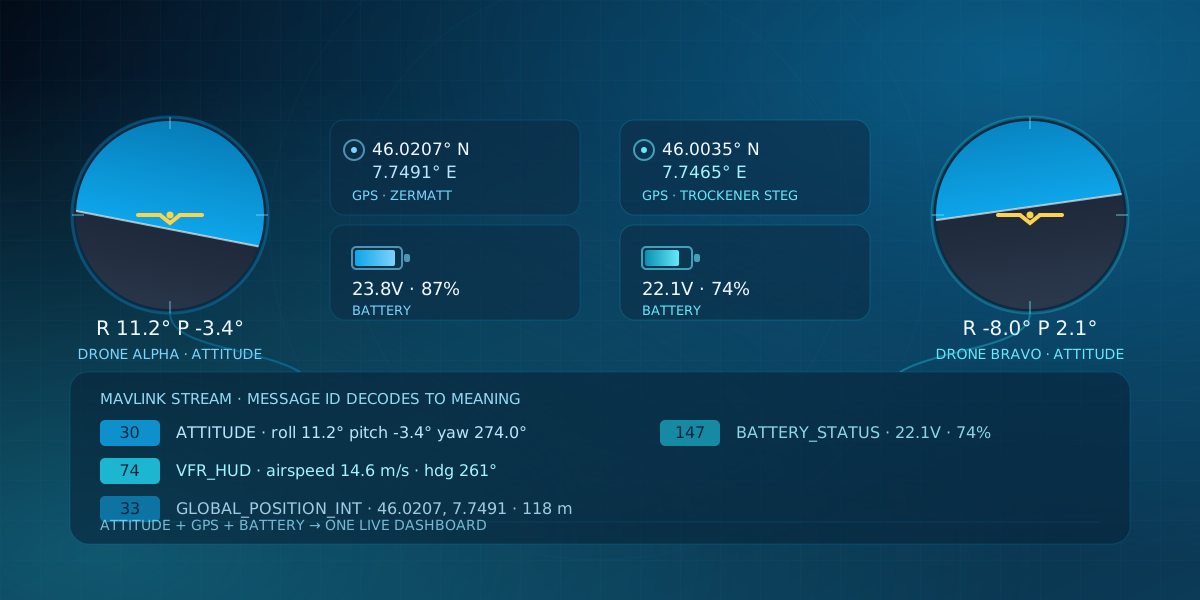
Every ArduPilot or PX4 flight controller reports its attitude, GPS position, and battery state to a ground station using the same protocol: MAVLink. If you've seen the name mentioned in drone build logs, CanSat writeups, and rocketry telemetry projects without ever seeing it explained, here's what a MAVLink message actually looks like, and how to watch one flow with no drone in the room.
What is MAVLink, and why do drones use it?
MAVLink is a lightweight, message-based protocol for talking to autopilots, and it's the shared language behind the two dominant open-source flight stacks, ArduPilot and PX4. Lorenz Meier created it in 2009 at ETH Zurich; the full message catalog and wire format now live in the public MAVLink developer guide. It carries telemetry for everything from hobbyist quadcopters to CanSat payloads and amateur rockets.
A flight controller streams dozens of message types continuously: attitude, GPS fix, battery voltage, RC input, and more. A ground control station such as QGroundControl or Mission Planner reads that stream and can send commands back over the same link, arming the vehicle, changing flight mode, uploading a mission. That's the structural point worth remembering: MAVLink is a shared, bidirectional language for the whole system, not a one-way telemetry dump. Multiple listeners, a ground station, a logger, a companion computer, can all read the same stream at once, and every frame is tagged with the system and component that sent it.
How is a MAVLink message structured?
A MAVLink v1 frame opens with a 0xFE marker, then a length byte, a sequence number, a system ID, a component ID, a one-byte message ID, the payload, and a two-byte checksum. MAVLink v2, introduced in 2017, swaps in a 0xFD marker and widens the message ID to three bytes, room for far more message types than v1's 256-ID ceiling, plus optional packet signing.
flowchart TB
    subgraph frame["MAVLink v1 frame"]
        direction TB
        stx["0xFE start marker, 1 byte"] --> len["Length, 1 byte"] --> seq["Sequence, 1 byte"] --> sys["System ID, 1 byte"] --> comp["Component ID, 1 byte"] --> mid["Message ID, 1 byte"] --> pay["Payload, variable length"] --> crc["Checksum, CRC-16, 2 bytes"]
    end
The message ID is the part worth pausing on. It plays nearly the same role as a CAN arbitration ID: it tells the receiver what the payload means, not who it's addressed to. ATTITUDE is message 30. GLOBAL_POSITION_INT is 33. VFR_HUD, which bundles airspeed, groundspeed, heading, and throttle into one message, is 74. A receiver reads the ID first and only then knows how to unpack the bytes that follow it.
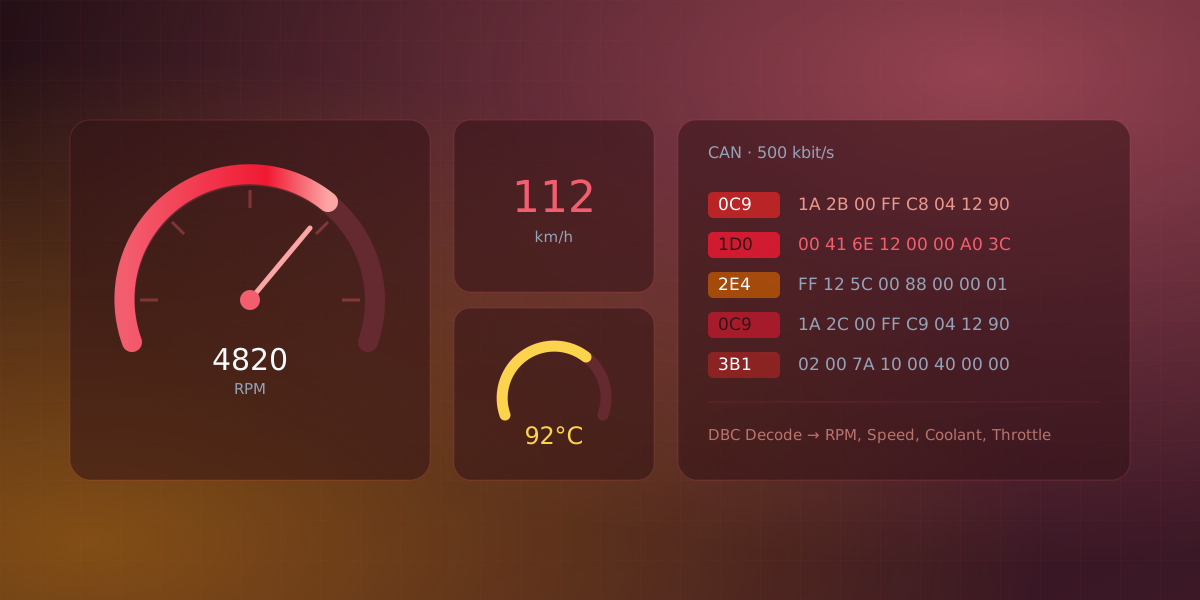
The difference from CAN is the transport underneath. MAVLink travels point-to-point or broadcast over a single serial link, radio pair, or UDP socket, not a shared multi-drop bus, so there's no arbitration for who gets to talk first. What carries over is the idea that the ID identifies meaning, and the receiver simply ignores any message ID it doesn't recognize.
Why does MAVLink need its own CRC, and what is the "CRC extra" byte?
Every MAVLink frame ends with a two-byte CRC-16 (the X.25 / MCRF4XX variant), calculated the same way any packet checksum works: run the header and payload through the polynomial and compare the result against what the sender attached. MAVLink adds one more ingredient on top: a per-message "CRC extra" byte, a constant defined alongside each message in its XML dialect file and folded into the checksum as if it were one more payload byte.
That extra seed exists because MAVLink dialects can drift apart. Two firmware builds can both define message ID 150 with entirely different fields, and without the CRC extra a receiver decoding the wrong dialect would silently parse the wrong bytes into the wrong fields. Because the extra byte comes from the message definition itself rather than the wire, a dialect mismatch makes the checksum fail outright instead of quietly handing back plausible-looking garbage.
What telemetry values actually matter?
Out of MAVLink's ever-growing message set, most people watching a flight only care about a handful of numbers: roll, pitch, and yaw from ATTITUDE; latitude, longitude, and altitude from GLOBAL_POSITION_INT; airspeed and heading from VFR_HUD; voltage and remaining charge from BATTERY_STATUS; and the current flight mode carried inside HEARTBEAT.
Reading those values from a raw byte dump is impractical. A telemetry radio link can push several messages a second, and picking a drifting GPS coordinate or a dropping battery voltage out of a wall of hex while a vehicle is actually in the air isn't a realistic way to fly. A dashboard that turns those same bytes into a moving map, an attitude indicator, and a battery gauge is what makes the telemetry usable in the moment it matters, not just in a post-flight log review.
How does Serial Studio read a MAVLink stream?
Serial Studio ships a built-in MAVLink frame-parser template, selectable from the Project Editor's template list with no scripting required. Point it at a source using the Binary decoder, pick MAVLink v1 or v2 to match the expected start marker, and it decodes ATTITUDE, VFR_HUD, and GLOBAL_POSITION_INT messages into roll/pitch/yaw, airspeed/groundspeed/heading/throttle, and latitude/longitude/altitude channels, latching each value until the next update arrives. Other message IDs are ignored. For values the template doesn't cover, such as BATTERY_STATUS, a Lua or JavaScript frame parser can pull the extra fields the same way; the app ships reference scripts for exactly that.
The transport is one of Serial Studio's existing data-source drivers, not something MAVLink-specific. A telemetry radio pair, such as the widely used 3DR/SiK radios or RFD900 modules, reaches the vehicle over a plain serial connection, and a companion computer typically forwards MAVLink over UDP instead. Both are available in the free edition alongside the built-in template.
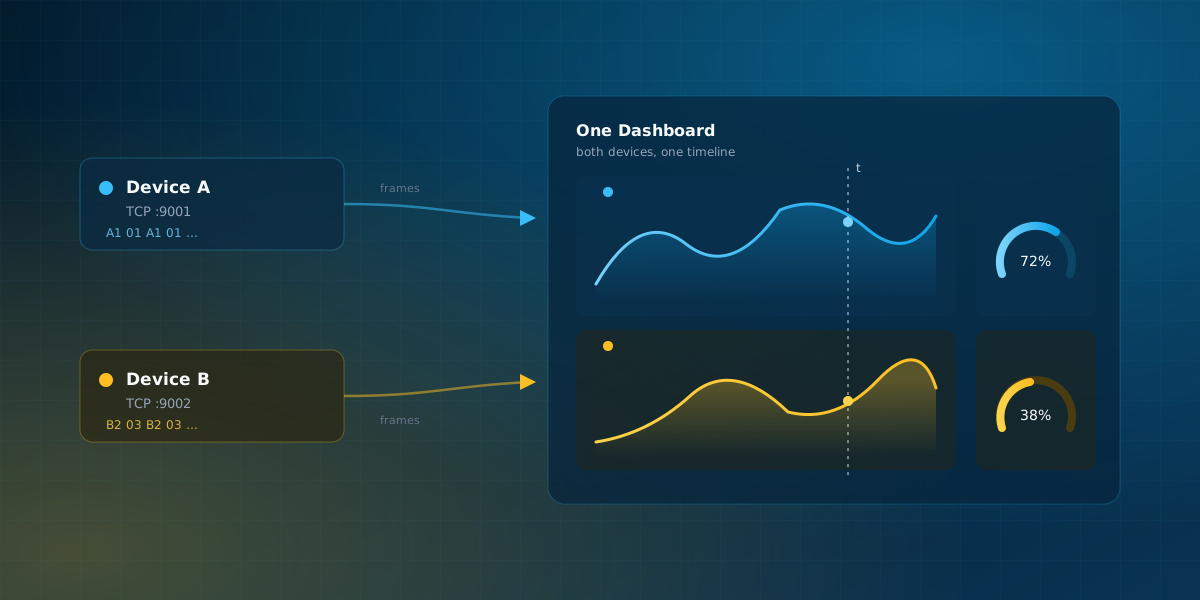
You don't need an actual MAVLink-speaking drone to see this pattern working end to end. Serial Studio's bundled Dual Drone Telemetry example simulates two drones flying over the Swiss Alps near Zermatt, each streaming its own telemetry (position, heading, altitude, roll, pitch, voltage, battery percentage) over its own TCP connection into one shared dashboard. It uses its own simple CSV-over-TCP protocol rather than actual MAVLink bytes, so it isn't a MAVLink example strictly speaking, but the telemetry-to-dashboard payoff, and the two-independent-streams setup, is exactly the workflow a real MAVLink project ends up building toward.
MAVLink rewards the same shift in thinking that CAN does: once a message ID reads as "what this packet means" rather than "who it's for," the rest of the wire format falls into place.
Frequently asked questions
Is MAVLink the same for ArduPilot and PX4?
Mostly, at the wire level: both use the same header, the same CRC extra mechanism, and the same publicly defined "common" message dialect, so a ground station reads either autopilot's ATTITUDE or GPS messages without changes. They diverge in the extra vendor-specific messages each stack adds, and in how each encodes flight mode inside HEARTBEAT's custom_mode field, so a dashboard reading raw mode numbers needs to know which autopilot it's talking to.
Can I read MAVLink without a real drone?
Yes. QGroundControl and Mission Planner both support software-in-the-loop simulators that run the actual ArduPilot or PX4 firmware against a physics model, producing a real MAVLink stream without hardware. That's a heavier setup than opening a bundled project. Serial Studio's Dual Drone Telemetry example demonstrates the same multi-source, telemetry-to-dashboard workflow with one Python script and no simulator install.
Does MAVLink use serial or UDP?
Both, depending on what sits at each end of the link. A telemetry radio pair carries MAVLink over plain serial between the flight controller and a ground station. A companion computer typically forwards MAVLink over UDP instead, often through mavlink-router or MAVProxy, so a ground station, a logger, and a custom dashboard can all attach to the same stream at once.
Is MAVLink secure?
Not by default. MAVLink v1 has no authentication at all, and MAVLink v2 added optional packet signing that both ends must enable and share a key for. Plenty of real deployments still run unsigned, so anyone who can reach the link, especially an open UDP port, can inject commands unless signing or a link-layer protection is turned on.
Comments