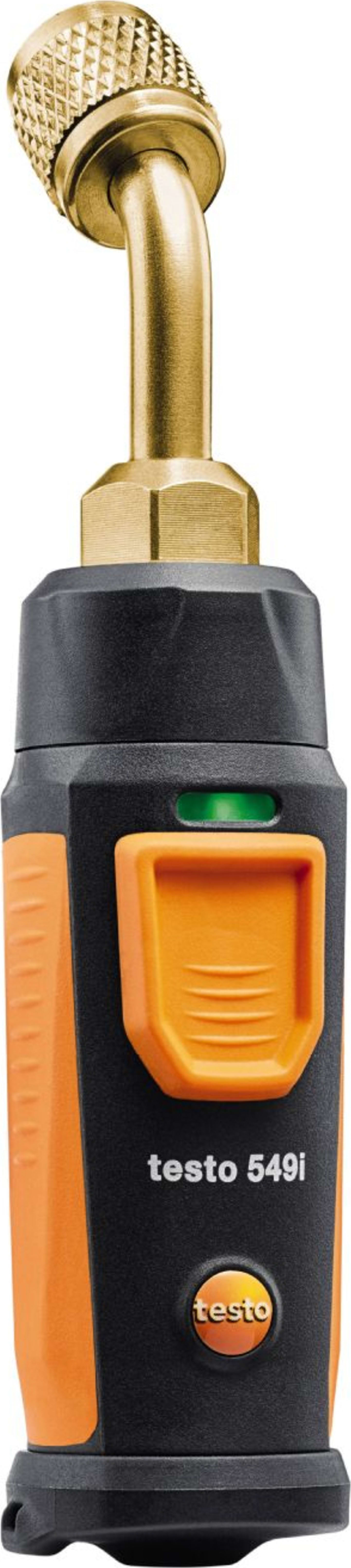
Testo T549i Refrigeration Pressure Probe
Automates a Testo T549i BLE pressure probe: a Control Loop sends the vendor enable handshake, a binary frame parser decodes the raw stream, and a Lua transform derives the psi engineering unit shown on a gauge.
What you'll learn: a BLE source with a Control Loop handshake, a binary frame parser, and per-dataset Lua transforms that convert units, shown in a Data Grid.
Prerequisites: a Testo T549i pressure probe and a Bluetooth adapter. Serial Studio's free features are enough.
This Serial Studio project turns a Testo T549i high-pressure smart probe into a live dashboard over Bluetooth Low Energy. It is a complete tour of Serial Studio's automation stack in one small project: a Control Loop wakes the probe, a binary frame parser decodes the raw stream, and per-dataset Lua transforms derive the engineering units.
What it does
- Restores the probe's GATT configuration from the project: service
0xFFF0, notify characteristic0xFFF2, both saved by UUID. - Sends the vendor "enable measurement" handshake to write characteristic
0xFFF1from the project's Control Loop, so the probe starts streaming without any phone app. - Decodes the probe's binary notifications with a JavaScript frame parser that emits raw device units only: differential pressure in pascal and battery level in percent.
- Converts pascal into psi with a one-line Lua transform, and shows the result on a plot, a meter, and a battery bar.
The BLE protocol
The probe exposes a vendor GATT service with a split read/write pair:
| Role | UUID |
|---|---|
| Service | 0xFFF0 |
| Write characteristic | 0xFFF1 |
| Notify characteristic | 0xFFF2 |
The probe only streams after a three-command enable sequence is written to 0xFFF1:
56 00 03 00 00 00 0C 69 02 3E 81
20 00 00 00 00 00 07 7B
11 00 00 00 00 00 03 5A
Measurements then arrive on 0xFFF2 as name-prefixed binary frames, interleaved with short checksum and status notifications:
| Notification | Layout |
|---|---|
| Measurement (30 B) | u32 name length, ASCII name (DifferentialPressure), f32 LE value in Pa, 2-byte trailer |
| Checksum (2 B) | CRC of the preceding measurement frame |
| Status (8 B) | Periodic device status |
Battery level arrives the same way, with the field name BatteryLevel.
Control Loop: the wake-up handshake
The Control Loop runs setup() once when the device connects and loop() while it stays connected, like an Arduino sketch. Serial Studio reports the source as connected only after the saved service and notify characteristic are wired, so the script can write immediately. The handshake, condensed from the project's script:
const WRITE_UUID  = "fff1";
const ENABLE_CMDS = ["5600030000000C69023E81", "200000000000077B", "110000000000035A"];

function setup() {
  for (var i = 0; i < ENABLE_CMDS.length; ++i) {
    var r = io.ble.writeCharacteristic(WRITE_UUID, ENABLE_CMDS[i], SerialStudio.Hex);
    if (!r.ok)
      return;

    delay(100);
  }
}
The full script in the project keeps a sent flag and retries from loop() if a write fails.
Frame parser: minimal raw decode
The parser does one job: find the field name in each notification and read the IEEE-754 float that follows it. It emits raw device units and nothing else; notifications without a marker just re-emit the held values, so every dataset updates on a steady timeline.
parse(frame) -> [ pressure in Pa, battery in % ]
No unit conversion happens in the parser. That keeps it a pure description of the wire format, and it never needs to change when you want another unit on the dashboard.
Engineering units with transforms
The pressure dataset reads parser channel 1 and converts pascal to psi in its Lua transform:
| Dataset | Index | Transform | Units | Widget |
|---|---|---|---|---|
| Pressure | 1 | return math.max(0, value / 6894.757) |
psi | Meter + plot |
| Battery Level | 2 | none | % | Bar |
Adding another unit (bar, kPa, inHg) is one more dataset with a one-line transform that reads the same channel; the parser stays untouched. The meter spans 0 to 1000 psi, and the math.max clamp pins negative sensor drift to zero.
Project configuration
| Setting | Value |
|---|---|
| Data Conversion | Binary (Direct) |
| Frame Detection | No Delimiters |
| Checksum | None |
| Service | 0xFFF0 (saved by UUID) |
| Notify | 0xFFF2 (saved by UUID) |
| Control Loop | Enable handshake to 0xFFF1 |
Setup
- Open the project and select Bluetooth LE as the input source.
- Power on the probe and pick it from the device list (it advertises as
T549i SN:...). - Click Connect. Serial Studio restores the service and notify characteristic, the Control Loop sends the enable sequence, and readings start streaming.
- Clamp the probe on a pressure port and watch the meter. Unpressurized, it reads zero; the transform clamps negative sensor drift.