RC Plane Telemetry Simulator
Python script that simulates a complete RC plane flight profile with realistic telemetry data to validate and demonstrate Serial Studio widgets.
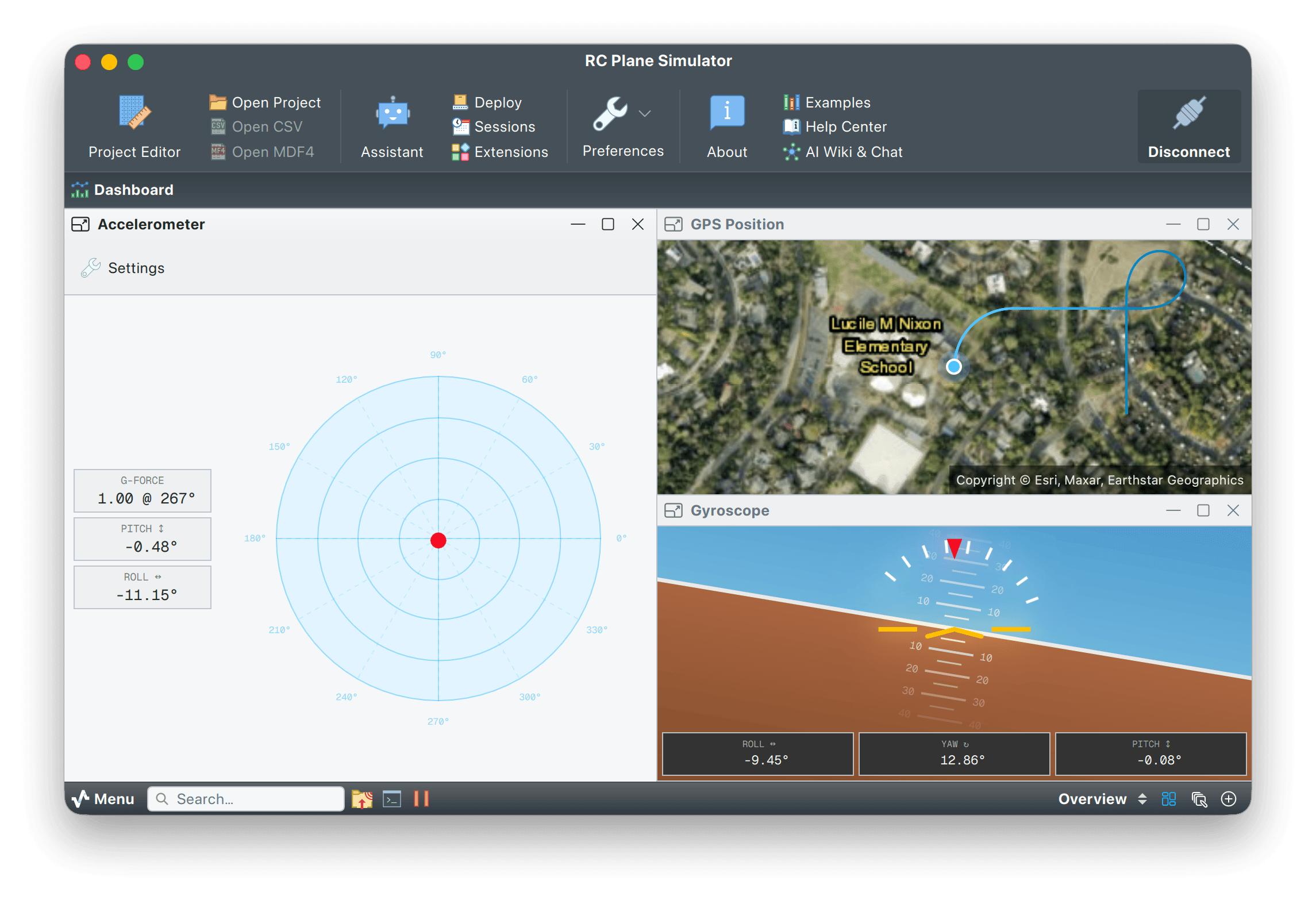
What you'll learn: a JavaScript-parsed UDP stream that drives Accelerometer, Gyroscope and GPS Map groups from a simulated flight profile.
Prerequisites: Python 3.6 or later with no extra packages.
A Python script that simulates a small RC plane flying a full flight profile, generating realistic telemetry data for Serial Studio widgets.
Purpose
This example validates and demos Serial Studio widgets using a realistic RC plane flight profile with multiple maneuver phases.
Widgets exercised
| Widget type | Data |
|---|---|
| Gyroscope | Pitch, Roll, Yaw rates (°/s) |
| Accelerometer | X, Y, Z body-frame acceleration (m/s²) |
| GPS Map | Latitude, Longitude, Altitude |
| Compass | Heading (0 to 360°) |
| Gauge | Airspeed (km/h) |
| Bar | Throttle (%) |
| Time plots | Altitude, Battery (V), RSSI (%), Motor Temp (°C) |
Flight profile (~157 seconds)
Preflight → Engine Start → Taxi → Takeoff Roll → Liftoff → Climb →
Level Flight → Gentle Turns → Steep Turns → Figure-8 →
Loop → Aileron Roll → Knife Edge → Inverted →
Dive & Pull-up → Zero-G Push → Recovery →
Cruise Home → Approach → Flare → Rollout → Shutdown
Usage
- Open Serial Studio and load
RC Plane Simulator.ssprojas the project file. - Confirm the I/O source is Network (UDP) on local port 9000 (the project file sets this on load).
- Click Connect.
The project includes a control loop that launches rc_plane_simulator.py automatically when you connect, so you normally don't run it by hand. Start it yourself only if you want one of the options below (in which case skip the auto-launch and run it before connecting):
python3 rc_plane_simulator.py
Options
python3 rc_plane_simulator.py              # Continuous loop
python3 rc_plane_simulator.py --once       # Single flight
python3 rc_plane_simulator.py --fast       # 50 Hz update rate
python3 rc_plane_simulator.py --port 8000  # Custom UDP port
Frame format
CSV over UDP to 127.0.0.1, sent at 20 Hz by default, with $ start delimiter and ; end delimiter:
$gx,gy,gz,ax,ay,az,lat,lon,alt,heading,airspeed,throttle,battery,rssi,motor_temp;\n
Requirements
- Python 3.6+ (no external dependencies).